 KES
 USD - International

cPanel is the control panel most web hosts and most developers already know. It is also, for anyone running their own server, one of the largest recurring costs on the bill — frequently larger than the server itself.
This article sets out what drives that cost, and what the alternative actually is.
Why cPanel got expensive
For years a cPanel licence was a flat monthly fee per server. In 2019 that changed to per-account pricing: a base licence plus a charge for each cPanel account above the included tier. Prices have been revised upwards several times since.
For a host with one busy server the arithmetic is unpleasant. The server might cost one figure a month; the panel on top of it costs the same again or more, and the panel bill grows every time you sell another account — which is to say, every time the business works.
That single change is why the shared-licence market exists at all.
What a shared cPanel license costs
A shared cPanel license from Hostsawa is Ksh 980 a month, or less per month paid yearly. That is for cPanel/WHM with unlimited accounts.
| Shared license | Bought direct | |
|---|---|---|
| Monthly cost | Ksh 980 | Several times that |
| Accounts | Unlimited | Priced per account above the tier |
| Software | cPanel’s own release | cPanel’s own release |
| Updates | From cPanel’s servers | From cPanel’s servers |
| Setup fee | None | None |
| Minimum term | None | Usually none |
The software is identical. What differs is the licensing arrangement behind it.
What you are actually buying
A licence key issued against one server IP address. You install cPanel from cPanel’s own repository, the server validates its licence, and from then on it behaves exactly as a directly bought copy does — same interface, same features, same updates.
It is not a cut-down edition, not a trial, and nothing on the server is patched or modified. A cracked panel cannot take vendor updates; this one can, because the vendor is issuing it.
What else a server usually needs
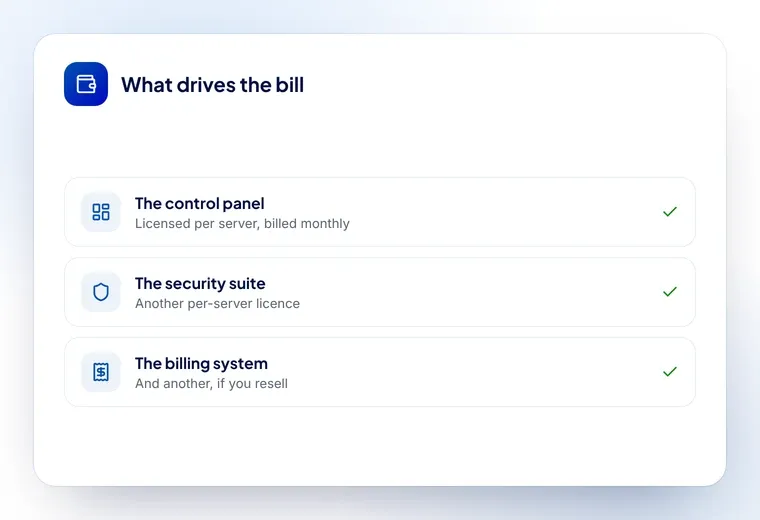
The panel is rarely the only licence on a machine. A typical hosting server runs three or four:
- cPanel/WHM — the panel itself
- CloudLinux — account isolation, so one busy site cannot take the server down
- Imunify360 or CXS — malware scanning and intrusion detection
- LiteSpeed — if you want server-level caching rather than a PHP plugin
- WHMCS — if you are billing customers for any of it
Bought direct, those together often cost more than the hardware. Bought as shared licences, they are a line item rather than the whole budget. The full range is here, seventeen products in total.
How to buy one
- Order the licence and pay by M-Pesa, card or bank transfer
- Send us the server IP — the licence is issued against that one address
- Run the install command we email you, or open a ticket and we install it free
Most licences are active within minutes. One IP change is free if you move servers, and you can cancel at any time.
The honest caveats
- One licence, one server. A second machine needs a second licence
- Remove any existing licence first. Two on one server conflict
- Buy the panel and the server together if you can. A cPanel VPS has the licence in the price and arrives on one invoice, which is simpler than managing two renewals
If you are weighing cPanel against the alternatives before you commit, the comparison of the three commercial panels is the place to start — the licence cost is usually the deciding factor, and it is rarely the one people look at first.