Client login
KES
Client AreaRegister

Self-hosted DevOps

GitLab Server Hosting in Kenya

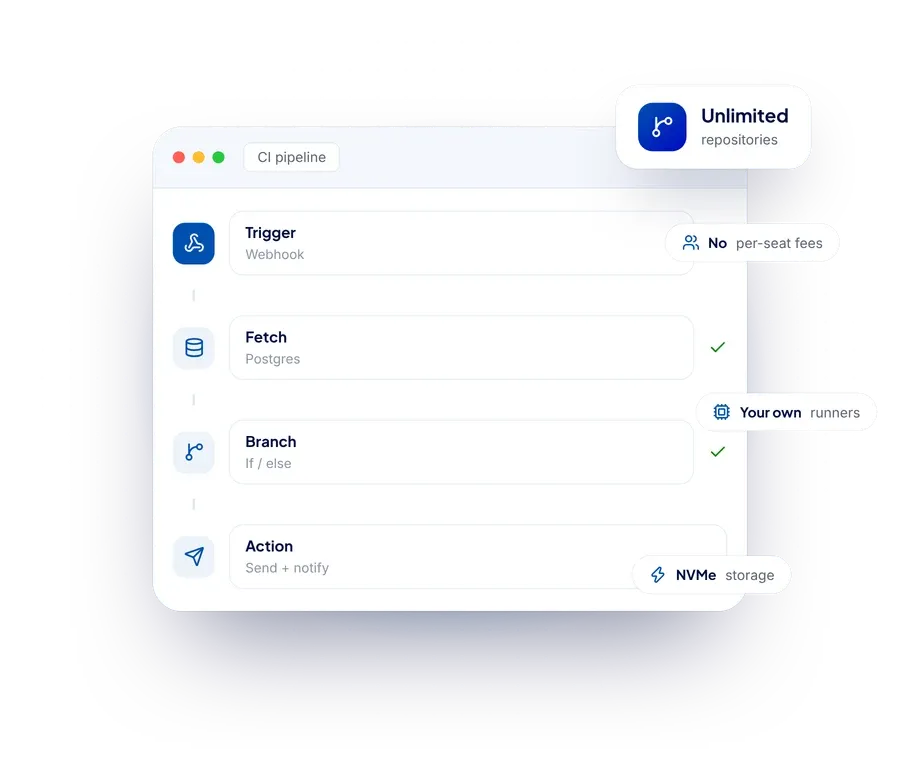
Your own GitLab instance on a KVM VPS: unlimited private repositories, your own CI runners, and no per-seat billing as the team grows.

  • Unlimited private repositories
  • Your own CI runners
  • No per-seat billing
  • Full root access
GitLab Server Hosting in Kenya from Hostsawa
  • KVM virtualisation
  • Full root access
  • DDoS protection
  • 24/7 support

Pricing

GitLab Server Hosting plans and prices

Every plan below is live from our billing system, so what you see is what you pay. Upgrade at any time.

Starter VPS

Ksh 1,480/month

Order now
  • 3 vCPU cores - CPU
  • 8 GB (guaranteed) - RAM - RAM
  • 75 GB NVMe or 150 GB SSD (More Storage Available) - Disk Space
  • KVM - virtualization
  • Unlimited - Bandwidth
  • Full Root - Access
  • DDOS Protection
  • 1 IPv4 Address
  • /64 Network IPv6 Address

Executive VPS

Ksh 4,480/month

Order now
  • 8 vCPU - Cores - CPU
  • 24 GB (guaranteed) - RAM
  • 200 GB NVMe or 400 GB SSD)(More Storage Available)
  • KVM - virtualization
  • Unlimited - Bandwidth
  • Full Root - Access
  • DDOS Protection
  • 1 IPv4 Address
  • /64 Network IPv6 Address

Platinum VPS

Ksh 8,400/month

Order now
  • 12 vCPU - Cores - CPU
  • 48 GB (guaranteed) - RAM
  • 250 GB NVMe or 500 GB SSD (More Storage Available)
  • KVM - virtualization
  • Unlimited - Bandwidth
  • Full Root - Access
  • DDOS Protection
  • 1 IPv4 Address
  • /64 Network IPv6 Address

Diamond VPS

Ksh 10,980/month

Order now
  • 16 vCPU - Cores - CPU
  • 64 GB (guaranteed) - RAM
  • 300 GB NVMe or 600 GB SSD (More Storage Available)
  • KVM - virtualization
  • Unlimited - Bandwidth
  • Full Root - Access
  • DDOS Protection
  • 1 IPv4 Address
  • /64 Network IPv6 Address

Elite VPS

Ksh 19,800/month

Order now
  • 18 vCPU - Cores - CPU
  • 96 GB (guaranteed) - RAM
  • 350 GB NVMe or 700 GB SSD (More Storage Available)
  • KVM - virtualization
  • Unlimited - Bandwidth
  • Full Root - Access
  • DDOS Protection
  • 1 IPv4 Address
  • /64 Network IPv6 Address

Prices are shown in Kenyan shillings and exclude any applicable tax.

Why run your own GitLab

Hosted Git services bill per seat and meter CI minutes. Self-hosted GitLab Community Edition is free software: the repositories are unlimited, the pipelines run on your own server, and adding the fifth developer costs nothing.

For agencies and in-house teams there is a second reason. Client code, deployment keys and environment secrets all live in the same place, and some clients would rather that place were a server you can point at than an account on someone else’s platform.

What GitLab needs

  • At least 4 GB of RAM — GitLab is not a light application, and 8 GB is more comfortable once CI is running
  • NVMe storage, because repository and artifact I/O is what you will notice
  • A domain pointed at the server, with a free Let’s Encrypt certificate
  • Backup storage, added at checkout — a Git server is exactly the thing you do not want one copy of

Runners can live on the same machine for a small team, or on a second VPS once pipelines start competing with the web interface for memory.

Sizing the server

Just you, or a small team

The entry VPS is enough for a single instance with a handful of users: 2 vCPU and 4 GB of RAM run most of these applications comfortably alongside a database.

A busy team or several apps

Step up a plan when you are running more than one service on the same box, or when the database grows past a few gigabytes. Memory is usually what runs out first, not CPU.

Heavy or production use

The larger plans carry enough cores and memory for production workloads, CI runners and analytics. You can move up a plan at any time without rebuilding the server.

Unmanaged by default, managed if you want it

Every VPS is unmanaged unless you say otherwise, which is what keeps the price where it is: you have root, you choose the stack, and you patch it on your schedule.

If you would rather not, add Managed at checkout and our team handles operating-system updates, monitoring and the routine problems. You can also add backup storage by the terabyte and an additional IPv4 address from the same screen.

What every GitLab VPS includes

  • KVM virtualisation

    Guaranteed vCPU and memory, not shared out when a neighbour gets busy.

  • Full root access

    Install any version, any dependency, any service the application needs.

  • DDoS protection

    Attack traffic is filtered before it reaches your server, at no extra cost.

  • Help when you need it

    Support by ticket and live chat, and a managed option if you want one.

GitLab Server Hosting: frequently asked questions

Which GitLab edition can I run?

Community Edition is free software and runs on any of our plans with enough memory. Enterprise Edition is a license you buy from GitLab; the server side is the same.

Can I run CI on the same server?

Yes, for a small team. Once pipelines slow the web interface down, move the runner to a second VPS — that is cheaper than upsizing one machine to do both.

How much does a VPS for GitLab cost in Kenya?

Plans start at Ksh 1,480. Every plan above shows its cores, memory and storage with prices in Kenyan shillings, and you can switch between monthly and yearly billing.

Do you install GitLab for me?

The VPS is unmanaged by default, so GitLab is yours to install — it takes a few minutes on a clean server. If you would rather we did it, add the managed option at checkout or open a ticket and our team will set it up.

Which operating system should I choose?

Ubuntu 24.04 LTS is the safest default and has the most documentation. Debian 11, AlmaLinux 9 and Rocky Linux 9 are there too, and all of them are selected at checkout at no extra cost.

Do I get root access?

Yes, full root. The machine is yours: install what you like, tune what you like.

Can I back it up?

Yes. Backup storage is a checkout option, priced by the terabyte, and you can add it later from the client area. Nothing is backed up automatically unless you add it.

Where are your VPS servers located?

In international data centres. There is no Kenya-located VPS and no Kenyan IP address; if your workload has to sit in a particular country we will say so plainly rather than sell you something that does not.

Ready to get started?

Order online in a few minutes, or talk to our team if you would like a recommendation first.